Seedance 2.5 Lighting Prompt Guide: 10 Cinematic Techniques
TL;DR: Turn Lighting Ideas Into Clear Seedance Instructions
Name the light. Control the scene.
Words such as “cinematic,” “moody,” or “dramatic” describe a feeling, but they do not give Seedance 2.5 enough visual direction. A stronger Seedance lighting prompt defines the source, path, softness, color, contrast, surrounding medium, and how the light changes during the shot.
Use this compact formula:
Source + Direction + Quality + Color + Contrast + Medium + Behavior
The purpose is simple: convert a visual mood into lighting relationships that Seedance AI video can follow.
What Are the 7 Parts of a Strong Seedance Lighting Prompt?
Break the look into controllable choices.
1. Light Source
Start with the emitter.
✅ Say what creates the light and where it sits:
the sun behind the subject, a bedside lamp, fire in the distance, a wall tube, or a skylight above.
Instead of “warm cinematic lighting,” try: “a low amber lamp behind the subject on the right.”
2. Light Direction
Point the light before naming the mood.
✅ Describe the path:
across one side of the face, straight down from above, from behind the shoulders, along the floor, or from water back onto a wall.
Direction is especially useful for Seedance rim light, backlight, side light, and top-light scenes.
3. Hard or Soft Light
Shadow edges reveal the light quality.
✅ Use terms such as hard directional light, narrow beam, crisp shadows, broad diffusion, soft ambient light, or feathered edges.
Two scenes can be equally bright but feel completely different because the shadows behave differently.
4. Color Temperature
Assign color a function.
Do not add blue and orange only because they look cinematic.
✅ Decide what each color should define.
Example:
cool cyan light shapes the character, while warm practicals outline the floor and background.
5. Exposure Contrast
Choose what remains hidden.
A low-key Seedance scene is built from contrast, not from simply lowering brightness.
✅ Useful instructions include:
keep the face mostly in shadow, hold the background two stops darker, avoid frontal fill, or preserve texture in black clothing.
6. Atmosphere and Reflective Media
Let the space carry the light.
Fog, smoke, dust, water, glass, and metal can make lighting more dimensional and easier to read.
Examples:
fine dust reveals the overhead beam” or “cool light hits the water first, then reflects across the wall.
7. Lighting Behavior
Video lighting needs time.
For Seedance 2.5 video generation, describe how the light changes:
flickers, fades, slides across a face, shifts with moving water, softens under clouds, or briefly overexposes the frame.
A still image needs a light setup. A Seedance video needs the light to behave.
10 Cinematic Seedance Lighting Prompt Examples
Learn the rule, then reuse it.
The following examples turn familiar film-lighting ideas into concise Seedance 2.5 prompt patterns. Each keeps the core lighting relationship clear without overloading the prompt.
1. Backlit Silhouette
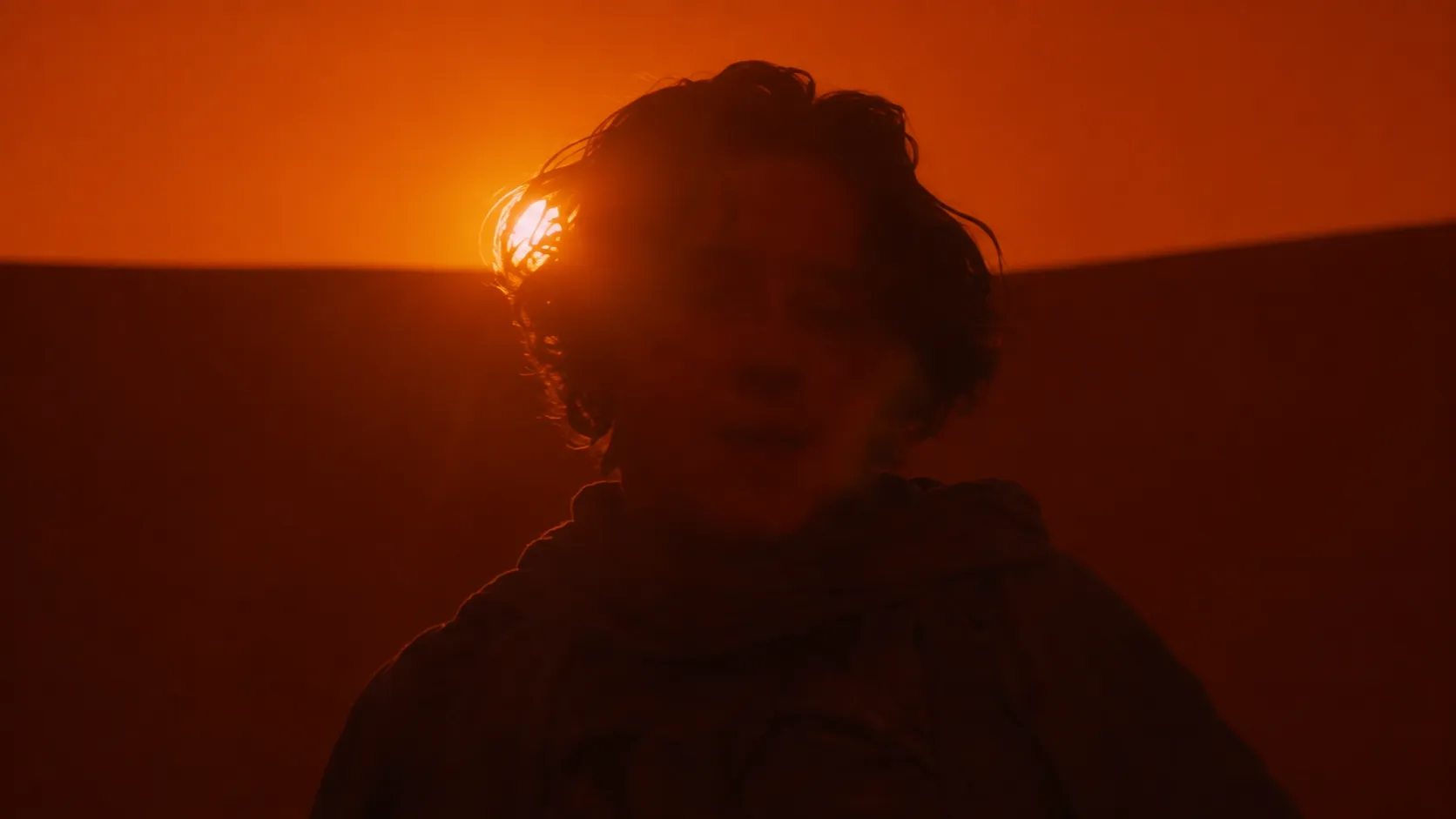
Shape the subject with the edge.
💡 Prompt Tip:
Keep the main light behind the subject and minimize frontal fill. Prioritize a clean silhouette over facial detail.
Prompt Example:
At sunset on a desert ridge, a cloaked figure stands against the horizon. The sun sits low behind the subject on the right, drawing a narrow golden rim around the head, shoulders, and robe. Keep the face largely in shadow. Fine dust catches the backlight as the far landscape dissolves into orange haze.
2. Low-Key Side Light
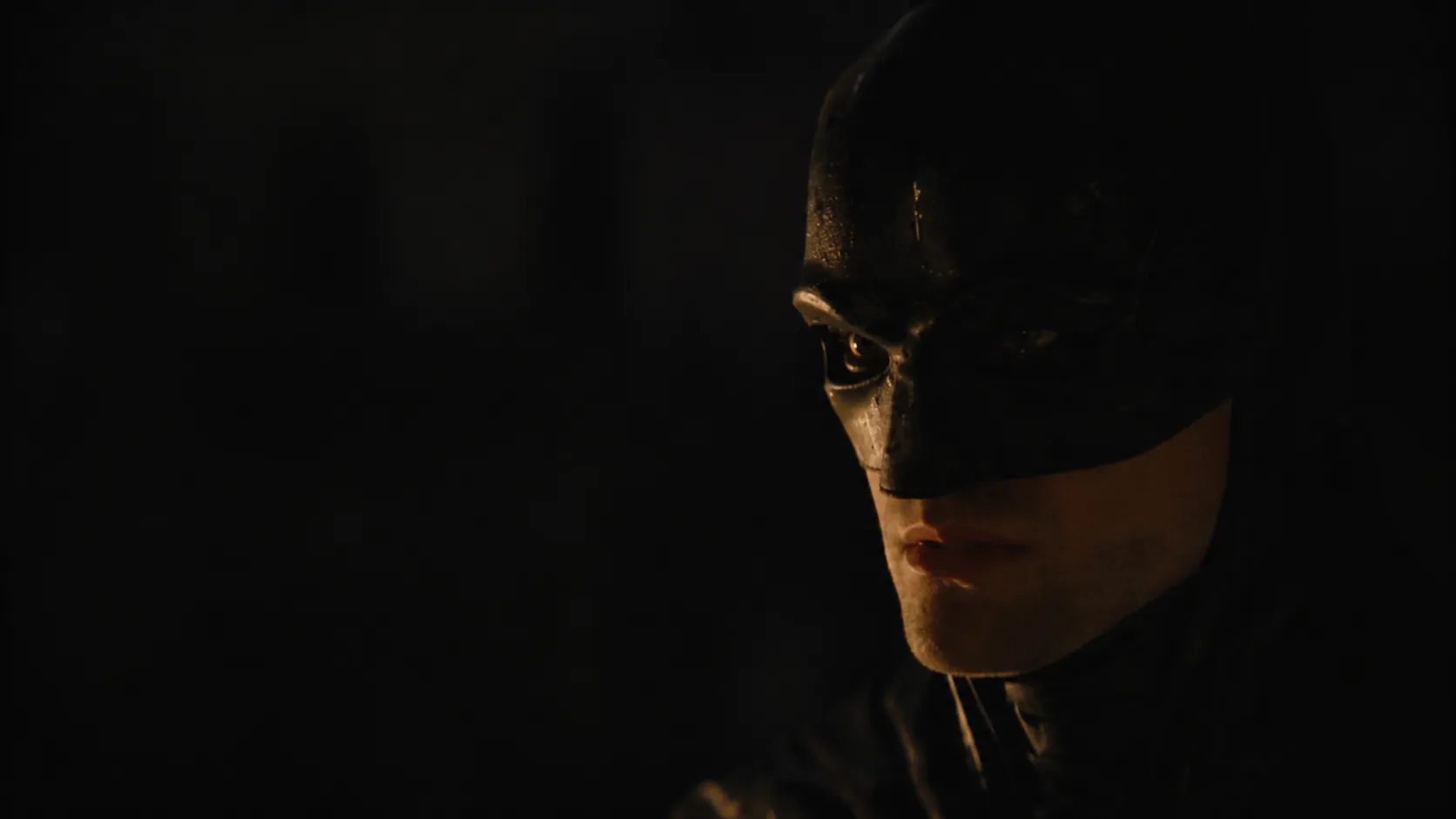
Show less, direct more.
💡 Prompt Tip:
Name the exact facial areas that should be visible and define how much of the opposite side disappears.
Prompt Example:
Night interior, close-up. A narrow cool source enters from the upper front-left, lighting the left eye, nose bridge, and face edge. Let the right side fall into deep shadow. Keep the background roughly two stops darker and do not add frontal fill.
3. Monochromatic Lighting
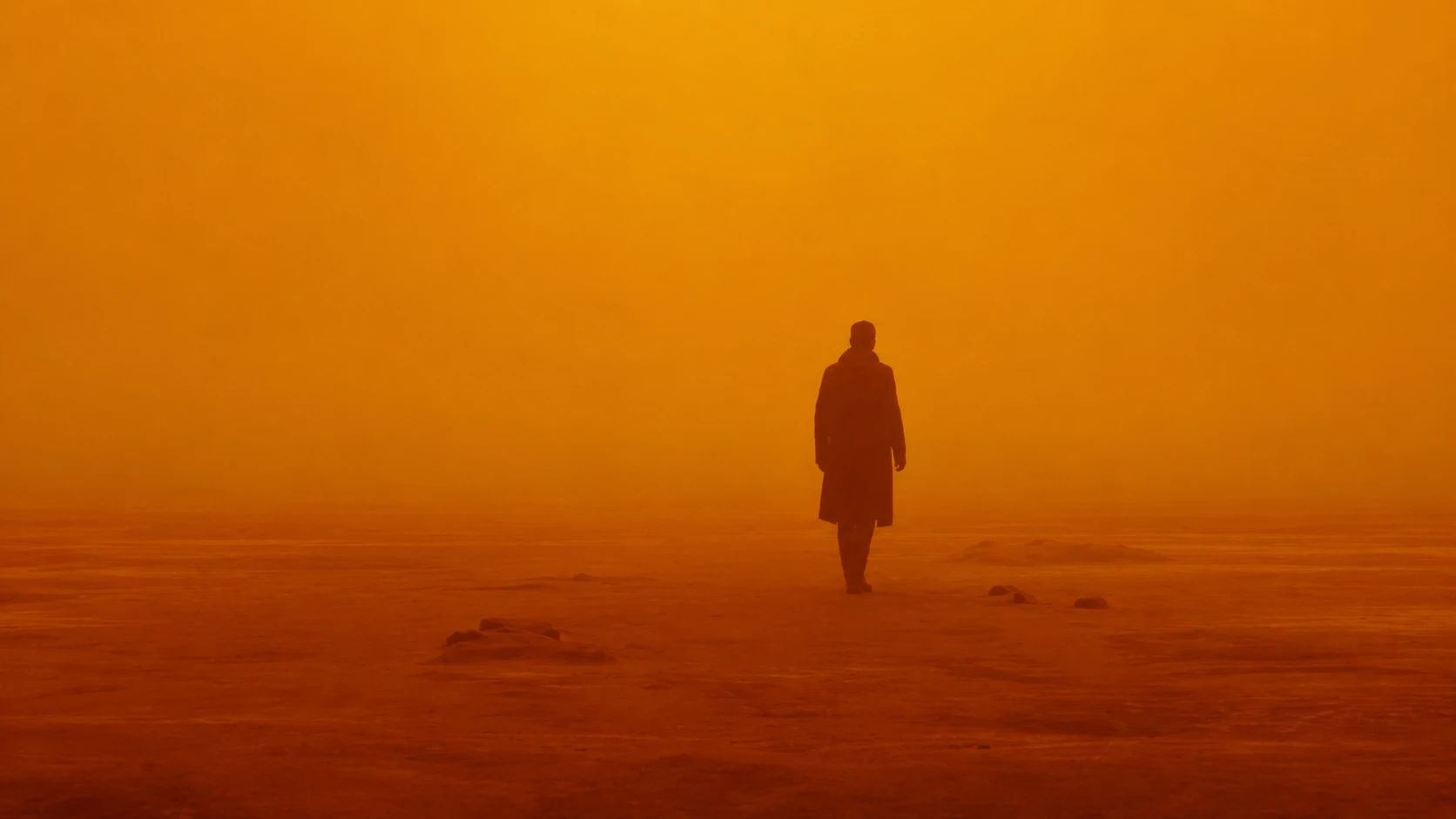
Let one hue own the atmosphere.
💡 Prompt Tip:
Push the dominant color into the air, shadows, and distant space instead of tinting only the objects.
Prompt Example:
A lone figure crosses an abandoned city under a dense amber-orange light field. Keep the sky, ground, buildings, and dust within the same warm family. Thick haze reduces distant contrast while the figure remains mostly dark. Avoid cool white or blue fill.
4. Mixed Color Temperature
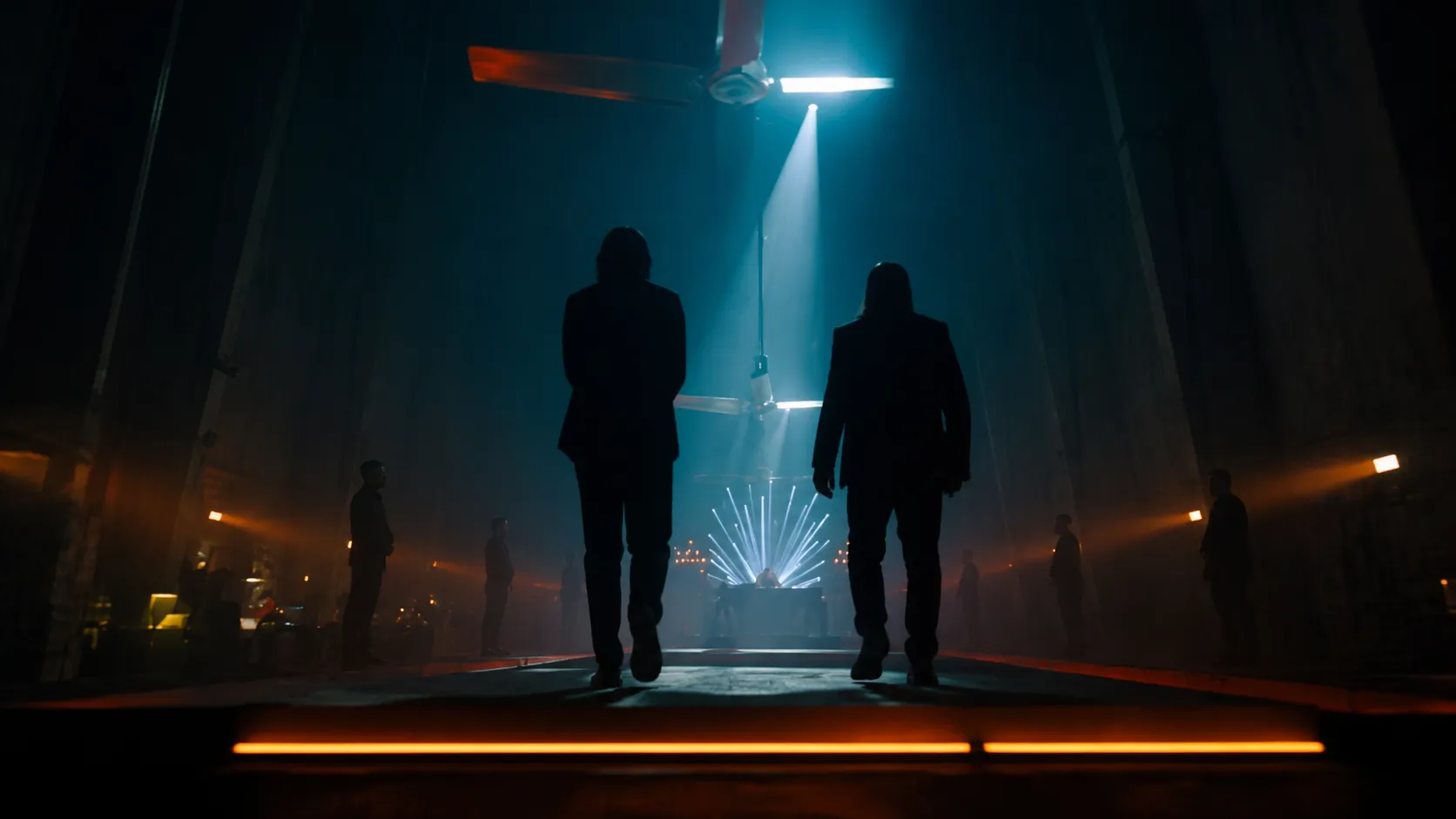
Use color to organize depth.
💡 Prompt Tip:
Give warm and cool sources separate visual jobs.
Prompt Example:
Inside a large modern hall, cool cyan overhead light defines two figures and the distant corridor. Low warm-orange practicals mark the floor and structural edges. Keep the background dark with light reflections so the color contrast clearly separates subject, path, and space.
5. Practical Firelight
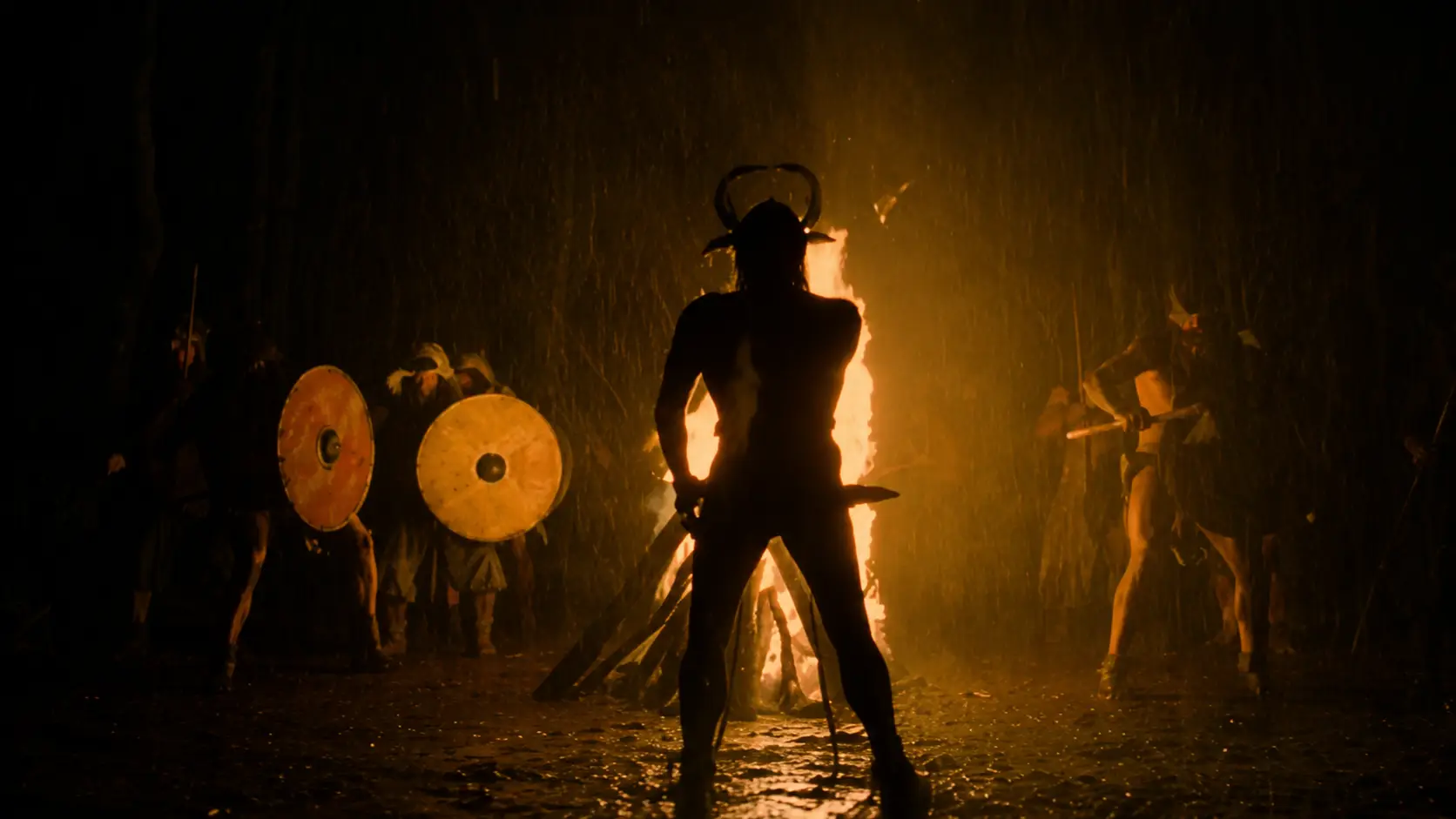
Let the scene justify the light.
💡 Prompt Tip:
State where the fire is, what it lights, and which nearby surfaces catch the reflection.
Prompt Example:
A soldier walks through wet ruins at night while buildings burn in the distance. The flames provide the primary illumination, producing unstable warm light along the soldier’s back and shoulders. Puddles pick up broken orange reflections. Keep the sky nearly black and avoid unexplained frontal fill.
6. Volumetric Top Light
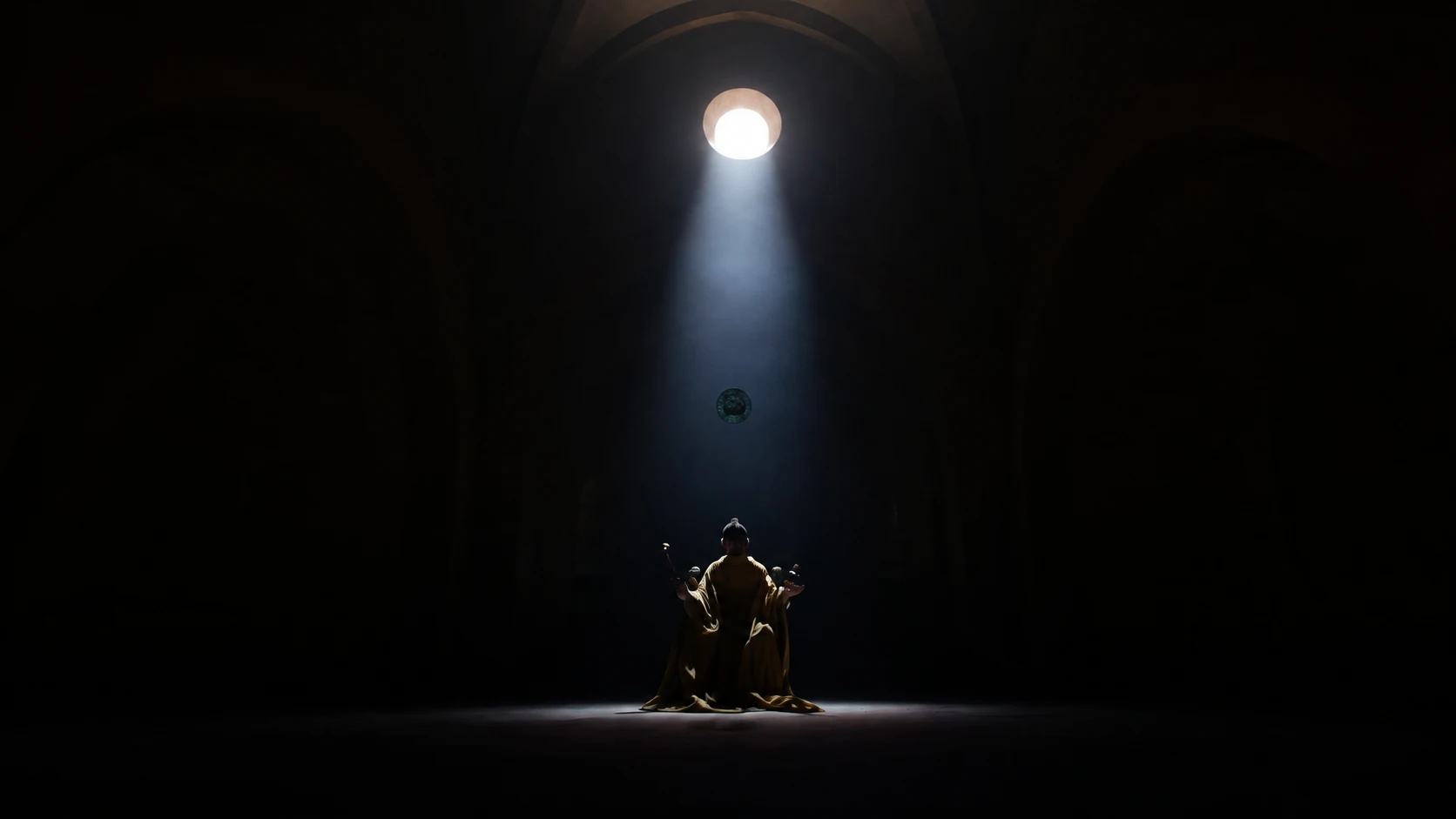
Give the beam something to reveal it.
💡 Prompt Tip:
Add a visible medium such as smoke, dust, fog, or moisture when the light path itself matters.
Prompt Example:
Inside a dark circular stone chamber, a small ceiling opening sends a cool-white beam directly onto one character. Fine smoke and dust make the column visible. Keep the walls nearly black and limit the illuminated floor to a small central area.
7. Golden-Hour Rim Light
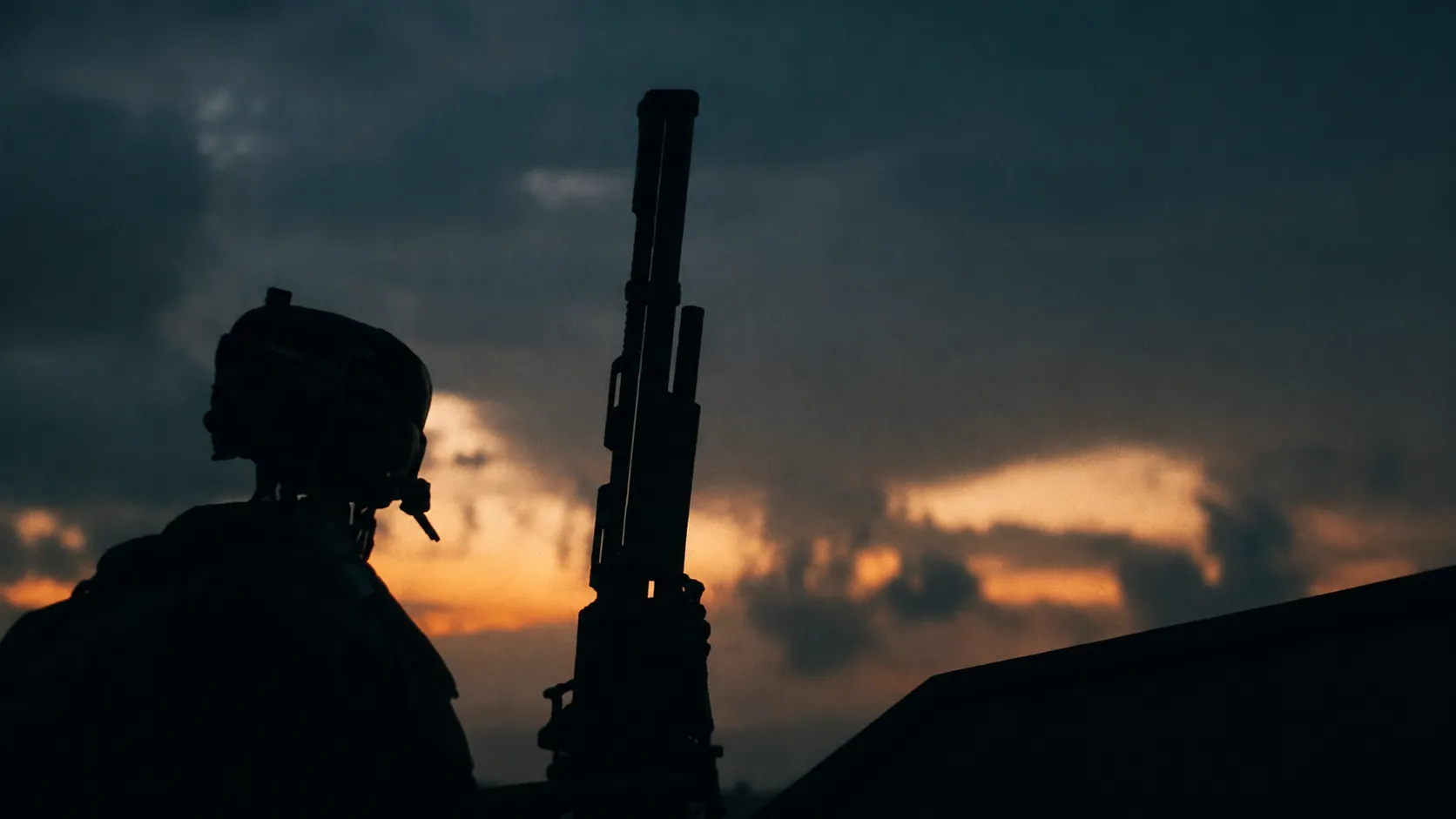
Low sun creates natural separation.
💡 Prompt Tip:
Define the sun height, rim position, and how dark the front of the subject should stay.
Prompt Example:
At sunset on an open ridge, the sun rests just above the horizon behind the character. Warm gold light traces the shoulders, hair, and clothing edges while the face remains mostly dark. Keep the sky layered from orange near the horizon to deeper blue above.
8. Hard Noon Light
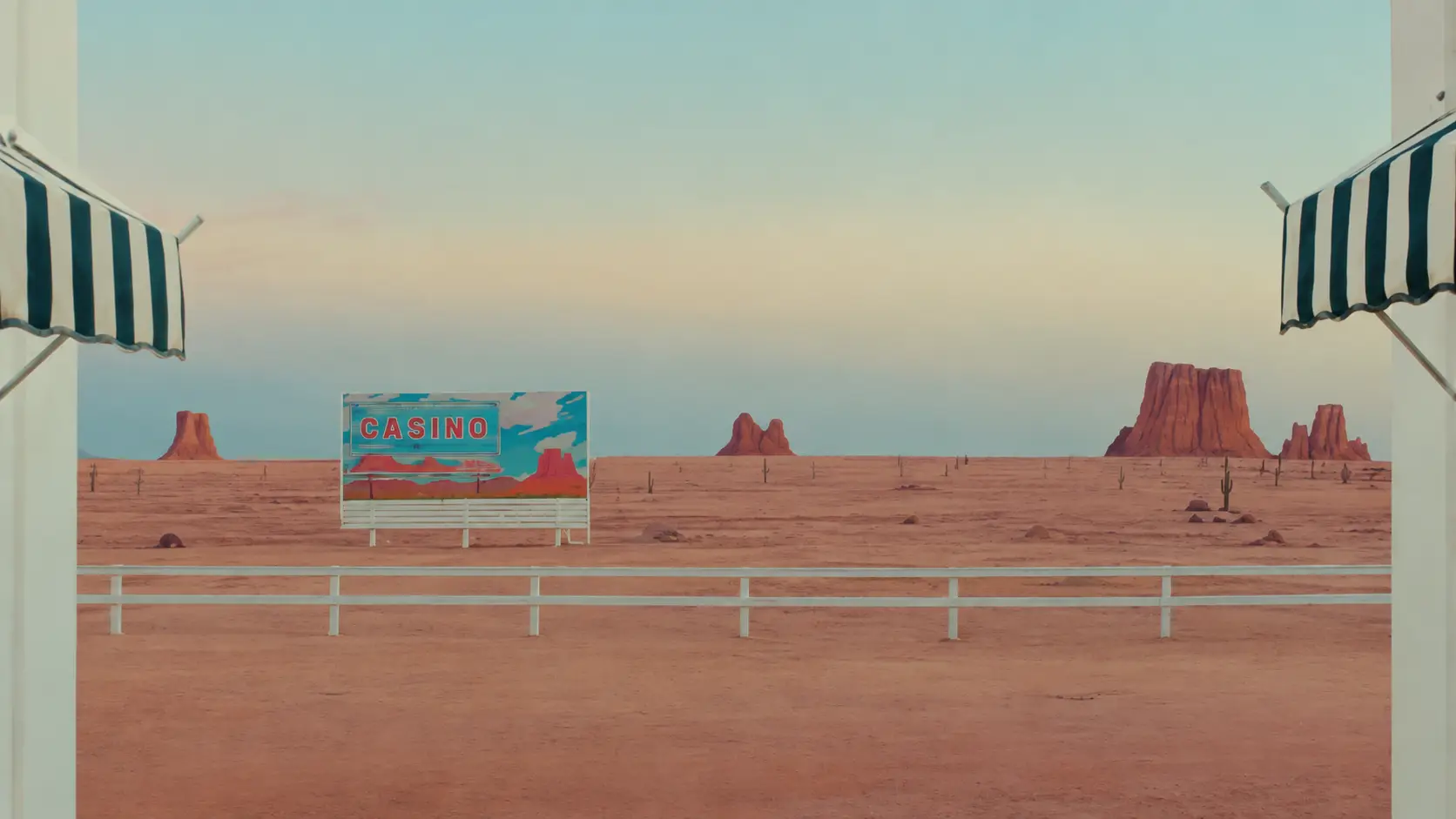
Use harsh sun on purpose.
💡 Prompt Tip:
Specify the sun height, shadow length, and shadow sharpness instead of asking only for a bright day.
Prompt Example:
A desert town under direct midday sun. The sun is almost overhead, producing short, crisp shadows. Keep the scene bright and dry with clean building edges, a pale blue sky, and warm sand-colored surfaces. Avoid haze, diffusion, and soft frontal fill.
9. Exposure Burst
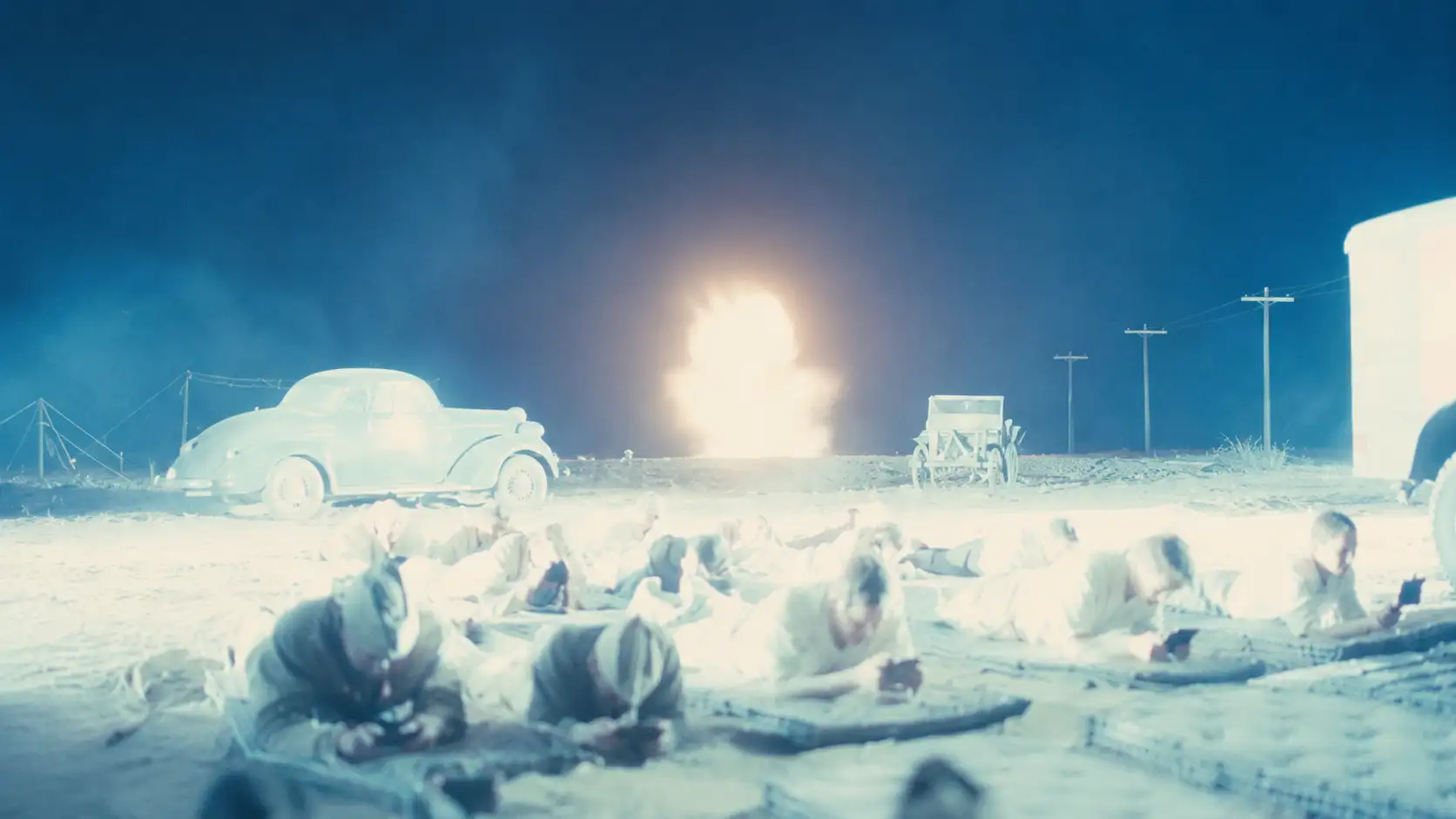
Turn brightness into a timed event.
💡 Prompt Tip:
Define the rise, peak duration, and recovery of the exposure.
Prompt Example:
At a nighttime test site, a distant explosion produces a hard white flash. Push the frame close to full overexposure for about 3–5 frames, briefly washing out the sky and building edges. Then recover gradually as people and vehicles move from dark silhouettes back into visible detail.
10. Reflected Light
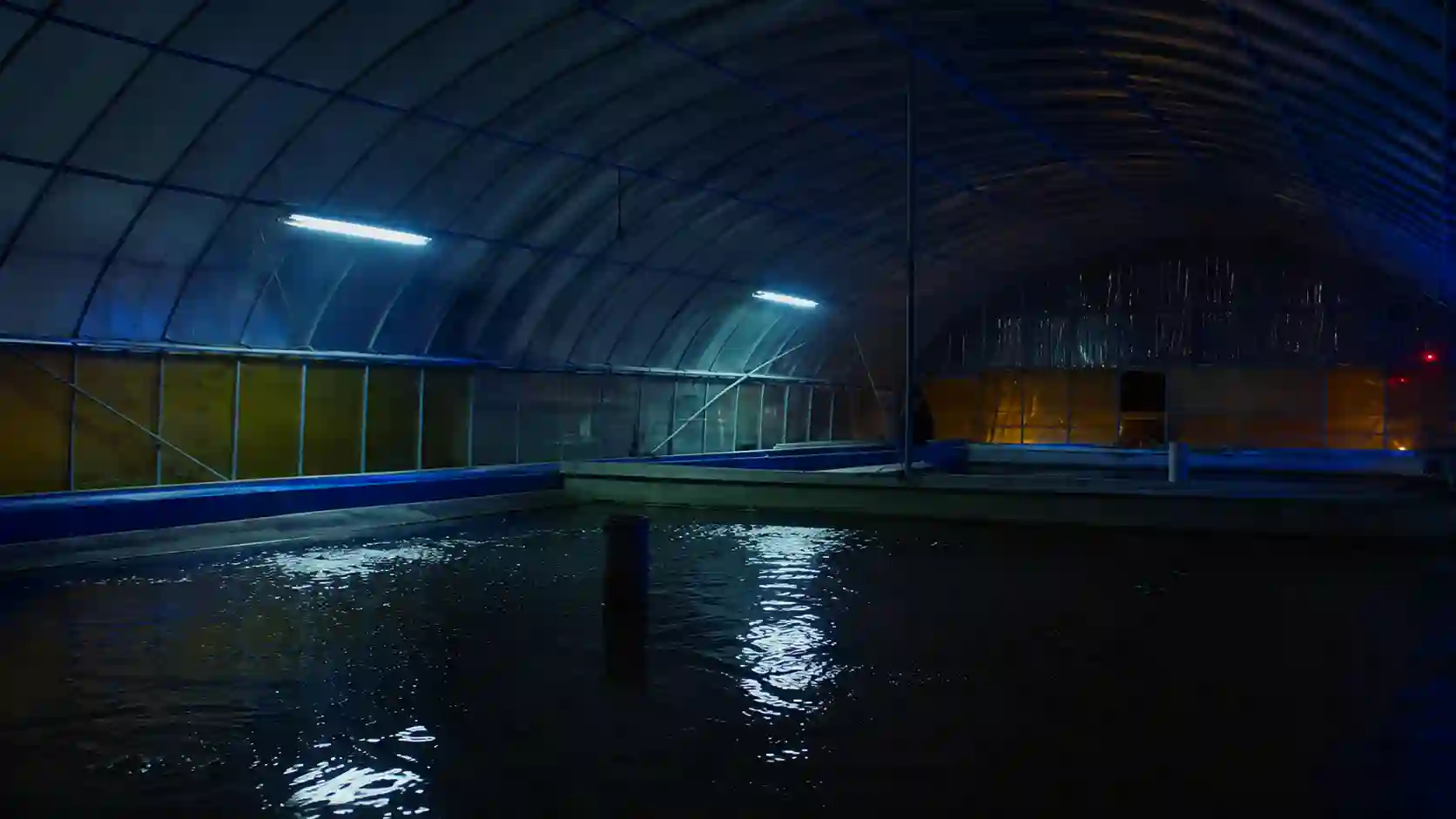
Let surfaces redirect the source.
💡 Prompt Tip:
Describe the full chain: source → reflective surface → receiving surface.
Prompt Example:
Inside a dark indoor pool, cool-white ceiling lights strike the water first. Broken blue reflections bounce from the moving surface onto curved metal walls and the ceiling. Keep a small warm area in the distance for contrast. Gentle water movement makes the reflected patterns drift continuously across the architecture.
Why Do Seedance Lighting Prompts Look Flat or Generic?
Weak lighting usually comes from missing relationships.
Using mood words without identifying a real light source.
Adding several colors without giving each one a clear role.
Keeping the subject and background at nearly the same exposure.
Requesting volumetric beams without fog, smoke, dust, or moisture.
Using firelight without flicker, moving shadows, or changing reflections.
Ignoring how light should react to camera or character movement.
When a Seedance AI video looks flat, clarify the physical lighting setup before adding more style words.
Build the physics first. Add the feeling last.
Use this reusable Seedance prompt template:
[Scene] + [Light Source] + [Direction] + [Hard/Soft Quality] + [Color] + [Exposure Contrast] + [Atmosphere / Reflection] + [Lighting Behavior] + [Mood]
Example:
A woman waits alone in a hotel corridor at night. A warm wall lamp behind her on the right creates a soft amber edge along her hair and shoulder. A narrow cool light from a doorway reaches the left side of her face. Keep the far corridor two stops darker. Thin haze catches both sources. As she turns toward the doorway, the cool light spreads gradually across her face. Quiet, restrained, and uncertain.
This gives Seedance 2.5 a concrete lighting map instead of relying on a broad phrase such as “cinematic hotel lighting.”
How Should Lighting Work Inside a Seedance 2.5 Video Prompt?
Lock the setup. Describe the change.
Seedance lighting prompts work best when the light remains connected to character motion, camera movement, and scene continuity.
For a moving camera:
Hold the warm backlight behind the character while the camera tracks slowly to the left.
For a turning character:
As the character faces the window, let the cool side light reveal more of the face.
For reflected light:
Keep the water moving gently so the blue reflections continue sliding across the wall.
This makes cinematic lighting part of the Seedance video action rather than a static visual tag.
Turn Seedance Lighting Into Storytelling
Light should guide attention.
Backlight defines shape.
Side light controls visibility.
Color separates space.
Firelight ties illumination to the scene.
Volumetric light adds depth to air.
Hard sunlight creates graphic structure.
Exposure shifts create impact.
Reflected light makes the environment part of the lighting design.
The next time you write a Seedance 2.5 prompt, do not stop at “cinematic lighting.”
Explain where the light originates, where it travels, what it reveals, what remains dark, and how it changes during the shot.
Atmosphere comes from lighting choices.
Related Articles
Seedance Camera Movement Guide: 10 Cinematic Prompt Examples
Write better AI video camera prompts with 10 cinematic movements, including clear framing, paths, pacing, end points, and storytelling uses.
Seedance 2.5 Time-Freeze Guide: Real Examples & Prompt Tips
Create cinematic time-freeze videos with Seedance 2.5 using practical prompts for frozen cities, POV scenes, car chases, rewind, and realistic motion.