Seedance 2.5 for Business: Industrial AI Video Workflows
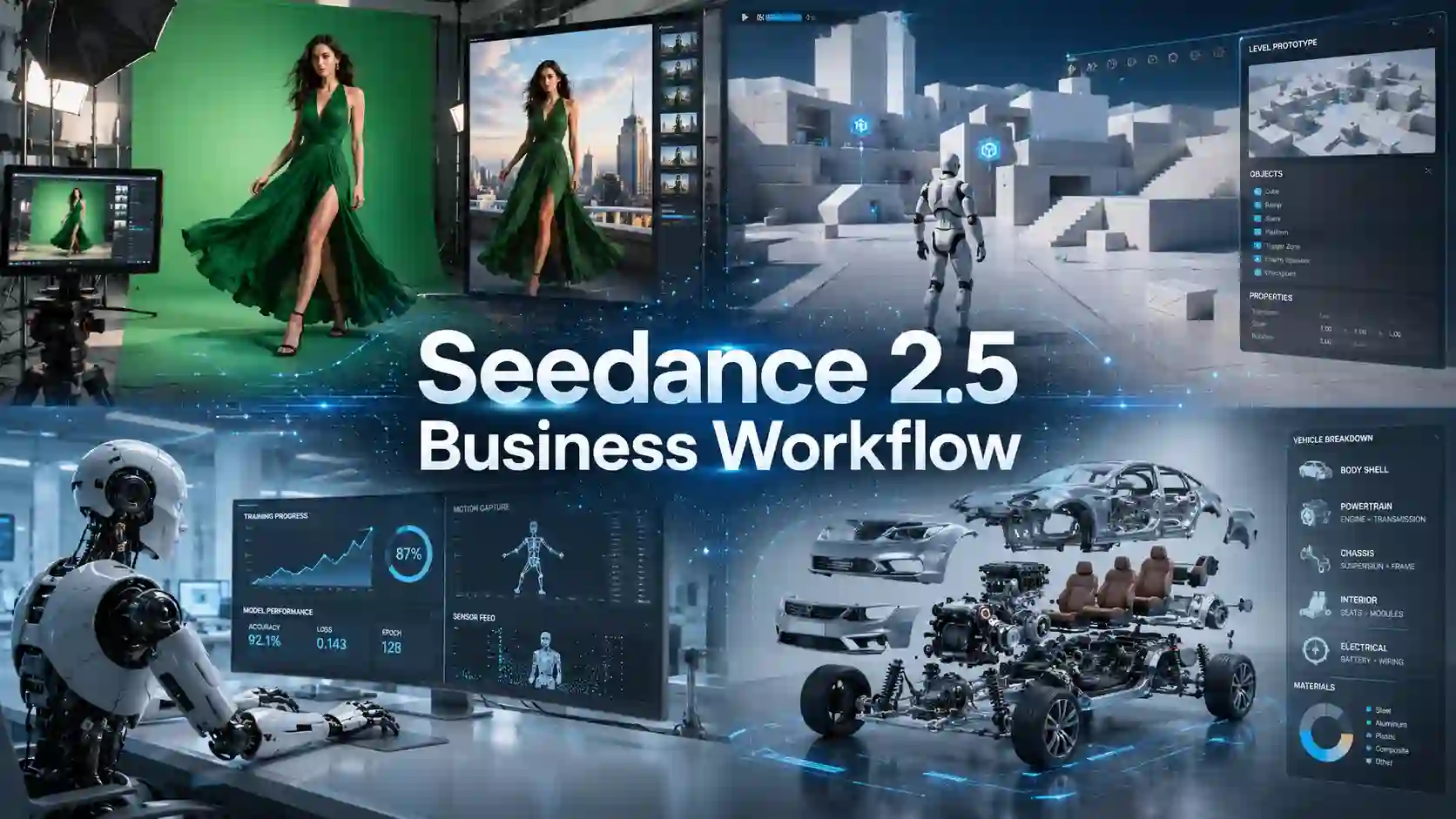
AI video becomes much more useful to a business when it solves a repeatable production problem.
Marketing teams need faster campaign variations. Ecommerce brands need more product videos without scheduling a new shoot every week. Game studios need to visualize rough environments before committing to final 3D production. Manufacturers need training content that can change when equipment or procedures change.
That is where the latest Seedance workflow becomes more relevant.
Seedance 2.5 can generate clips up to 30 seconds in a single pass and accept as many as 30 image references, 10 video references, and 10 audio references. Supporting timestamp-level editing, green-screen workflows, camera-perspective control, clay-render or white-model references, stronger scene continuity, and improvements across image, sound, and motion quality.
For businesses, the opportunity is bigger than making impressive AI clips.
The real value is using AI video as part of a production workflow.
Why is Seedance 2.5 Useful for Business Video Production?
Professional video production depends on control.
The biggest change is the combination of longer video generation, multimodal reference control, and more precise editing. Instead of asking an AI model to invent everything from a short text prompt, teams can give it existing assets and define more of the production direction.
Business Need | Relevant Capability | Production Value |
Complete commercial scenes | Up to 30-second generation | Less stitching between short clips |
Brand consistency | Up to 30 images, 10 videos, and 10 audio references | More control over products, people, style, and sound |
Faster revisions | Timestamp-level targeted editing | Fewer full-video regenerations |
Existing footage reuse | Green-screen and reference-based editing | Faster campaign adaptation |
3D visualization | White-model / clay-render guidance | Faster game and industrial previsualization |
More polished output | Improved image, audio, motion, and continuity | Stronger production-ready footage |
A multimodal AI video workflow is particularly valuable when a company already has useful materials, product photography, talent footage, CAD-style visualizations, storyboards, videos, audio, or brand references, and wants to turn them into new content without starting every project from zero.
How Can Brands Turn Existing Footage Into AI Ads?
Reuse assets. Reinvent the scene.
Advertising teams rarely begin with one perfect reference image. A real production library may contain:
green-screen talent footage
product photography
creator or model clips
brand assets
logo treatments
camera references
motion references
unfinished campaign footage
Seedance 2.5 strengthens green-screen and reference-based editing, allowing existing visual material to guide a new scene rather than requiring the entire advertisement to be generated from scratch.
For example, a fashion brand could keep the same model and product while testing several visual directions:
a premium studio campaign
a retail environment
a outdoor ad
a urban scene
seasonal lighting treatments
alternate vertical social ads
The important part is not simply AI background replacement.
A convincing commercial also needs the person or product to belong in the new environment. Lighting, shadows, walking rhythm, fabric movement, reflections, camera motion, and sound should support the same visual world.
Can Game Studios Turn 3D Whiteboxes Into Cinematic Previs?
Preview the level before you build it.
Early game environments are often created as simple whiteboxes or blockouts. These rough 3D layouts help teams test navigation, combat space, object placement, scale, and camera routes, but they are not always effective for communicating the final visual experience.
Seedance 2.5 supports white-model references and can use those references to guide elements such as composition, spatial relationships, model structure, object positions, camera work, and motion paths.
For a game studio, the same approach can help visualize:
level layouts
camera paths
character blocking
foreground and background relationships
combat spaces
object placement
shot scale
environment mood
cinematic pacing
This creates opportunities for AI game previsualization, level-design reviews, combat previs, game trailer concepts, cinematic scene planning, and stakeholder presentations.
The goal is not to replace Unreal Engine, Blender, Maya, or the final game pipeline.
The advantage is earlier decision-making.
How Can Manufacturers Use Industrial AI Video?
Update processes without reshooting.
A manufacturer may need equipment access, experienced operators, production crews, safety coordination, lighting, narration, editing, and multiple regional versions.
Then the process changes.
A component gets replaced. A maintenance procedure is updated. A safety instruction changes. A new machine version arrives.
The company may need to produce the video again.
A production-focused AI video workflow can help create or adapt material for:
industrial training videos
manufacturing training videos
SOP training videos
equipment demonstrations
assembly instructions
maintenance guidance
employee onboarding
workplace safety training
process visualization
factory training content
For industrial use, however, prompts should not be treated as creative improvisation.
Teams should build the video from approved source material and clearly define:
the equipment model
approved process steps
component locations
operating sequence
restricted actions
warning zones
camera priorities
narration
on-screen instructions
intended operator or trainee
Generated training footage must still be reviewed by qualified staff. AI video can reduce production effort, but it should not invent a procedure or replace engineering, EHS, or technical approval.
How Can Businesses Create AI Product Demo Videos?
One product. Endless content.
Businesses need video throughout the customer lifecycle.
Useful formats include:
AI product demo videos
product walkthroughs
feature demonstrations
assembly tutorials
setup videos
installation guides
maintenance tutorials
retail display content
ecommerce videos
customer-support videos
Because the model can work with images, videos, audio, and other references, a company can build new video around existing product assets rather than relying exclusively on text-to-video generation.
Consider a company selling smart-home hardware.
It could use the same approved product references to create separate videos for:
Product discovery:
Show what the device does and why it matters.
Installation:
Explain mounting, connection, and setup.
Feature education:
Focus on one function at a time.
Customer support:
Visualize common troubleshooting steps.
Regional marketing:
Change the language, environment, or user scenario while keeping the product presentation consistent.
For companies with large catalogs or frequent product updates, this can turn AI video from a campaign tool into an ongoing product content workflow.
Can AI Video Support Robotics and Autonomous Systems?
Simulate rare scenarios. Validate before use.
Synthetic video generated by Seedance 2.5 can be used to support robot perception and manipulation training and to simulate long-tail driving situations such as extreme weather and complex traffic conditions.
Potential scenarios include:
robotic arms handling different objects
transparent or reflective materials
unusual object combinations
changing lighting conditions
heavy rain, fog, snow
rare road configurations
uncommon interaction patterns
This creates potential uses around robotics training data, industrial simulation video, synthetic AI video data, autonomous-driving simulation, and embodied AI training.
But synthetic footage should supplement, not automatically replace, real-world data.
A responsible validation workflow should check:
physical consistency
object geometry
contact behavior
temporal consistency
motion trajectories
labeling accuracy
domain-specific constraints
real-world comparison results
A video that looks realistic to a human viewer may still contain incorrect physics or timing.
For industrial and safety-critical systems, visual quality is only the first test.
How Can Businesses Get More Value From AI Video?
Reuse more. Revise faster.
AI video is most likely to create measurable production value when a company repeatedly faces problems such as:
video shoots are expensive
content changes frequently
revisions take too long
approved assets are underused
visual decisions happen too late
multiple teams recreate similar videos
localization requires repeated production
one weak shot forces a full regeneration
That suggests a useful way to evaluate an AI video use case:
Team | High-Value Workflow |
Advertising agencies | Green-screen ads, campaign variants, branded content |
Ecommerce brands | Product demos, paid-social video, feature content |
Game studios | Whitebox visualization, cinematic previs, trailer concepts |
Manufacturers | SOP videos, equipment demos, onboarding, safety training |
Product teams | Product visualization and stakeholder presentations |
Customer support | Setup, maintenance, troubleshooting videos |
Education teams | Instructional and scenario-based video |
Robotics teams | Validated synthetic scenarios |
Automotive teams | Simulation and long-tail scenario exploration |
Better control produces more useful production capacity.
How to Fit Seedance 2.5 Into a Prodction Workflow?
Reference. Generate. Refine. Review.
A practical business workflow can look like this:
1. Start with approved assets.
Collect product photography, footage, storyboards, white models, scripts, audio, brand guidelines, or technical documentation.
2. Define the production goal.
Decide whether the output is an ad, product demo, game previs, SOP video, training asset, or synthetic scenario.
3. Assign every reference a role.
One image may control the product. Another defines lighting. A source clip can guide motion. Audio can establish timing or atmosphere.
4. Generate the complete scene.
Use the longer generation window to develop the action instead of treating the video as disconnected AI shots. Seedance 2.5 supports up to 30 seconds in a single pass and multiple rounds of extension.
5. Refine specific problems.
Timestamp-level and targeted editing can help teams correct a weak section instead of rebuilding everything.
6. Review for production accuracy.
Marketing teams check branding. Product teams check design. Game teams check space and motion. Industrial teams check technical and safety accuracy.
Seedance 2.5: From Creative Tool to Production Tool
Seedance 2.5 Video Generator is useful to business teams because its capabilities extend beyond prompt-to-video creation. The most productive approach is not to ask AI for something spectacular.
Start with a real business problem.
Bring an existing product, campaign asset, 3D layout, training process, or simulation need into the workflow and ask:
Can this become faster to visualize, easier to revise, or cheaper to reproduce?
That is where AI video begins to move from experimentation into production.
Seedance 2.5 Industrial AI Video FAQs
Can Seedance 2.5 Be Used for Industrial Video Production?
Yes. Seedance 2.5 specifically highlights industrial manufacturing, process training, equipment demonstrations, industrial simulation, robotics, and autonomous-driving scenarios among emerging applications for the model.
Can AI Video Be Used for Workplace Safety Training?
Yes, but AI-generated safety content should be built from approved procedures and reviewed by qualified personnel before use.
It should support, not replace, official equipment manuals, SOPs, risk assessments, and professional instruction.
Can Manufacturers Create SOP Videos With AI?
AI video can help visualize approved procedures, equipment operations, assembly processes, and maintenance tasks.
For manufacturing training, the source material should come from validated SOPs, technical documents, or engineering instructions.
Can Seedance 2.5 Use 3D White Models or Clay Renders?
Yes. Seedance 2.5 reference workflows uses clay-render structure to guide camera work, spatial relationships, part positions, model structure, assembly order, and motion, while another image provides materials, lighting, color, reflections, and atmosphere.
Can AI Video Generate Synthetic Data for Robotics?
Seedance 2.5 is being explored for synthetic video generation in robotics and embodied-intelligence workflows, including perception and manipulation scenarios.
Such data should still be validated against real-world behavior before being used in serious training or evaluation pipelines.
Can Synthetic Video Replace Real Industrial Data?
No. Synthetic video is better treated as supplemental data that broadens scenario coverage.
Industrial, robotics, and safety-critical workflows still require physical, temporal, geometric, and domain-specific validation against real-world results.
Related Articles
Seedance 2.5 Time-Freeze Guide: Real Examples & Prompt Tips
Create cinematic time-freeze videos with Seedance 2.5 using practical prompts for frozen cities, POV scenes, car chases, rewind, and realistic motion.
Seedance 2.5 vs Seedance 2.0: Real Tests Comparison
Compare Seedance 2.5 and Seedance 2.0 through real video tests covering storytelling, creative understanding, action physics, product ads, UGC, and cost.