How to Make Your Own Hotel Lobby AI Video with Seedance 2.5
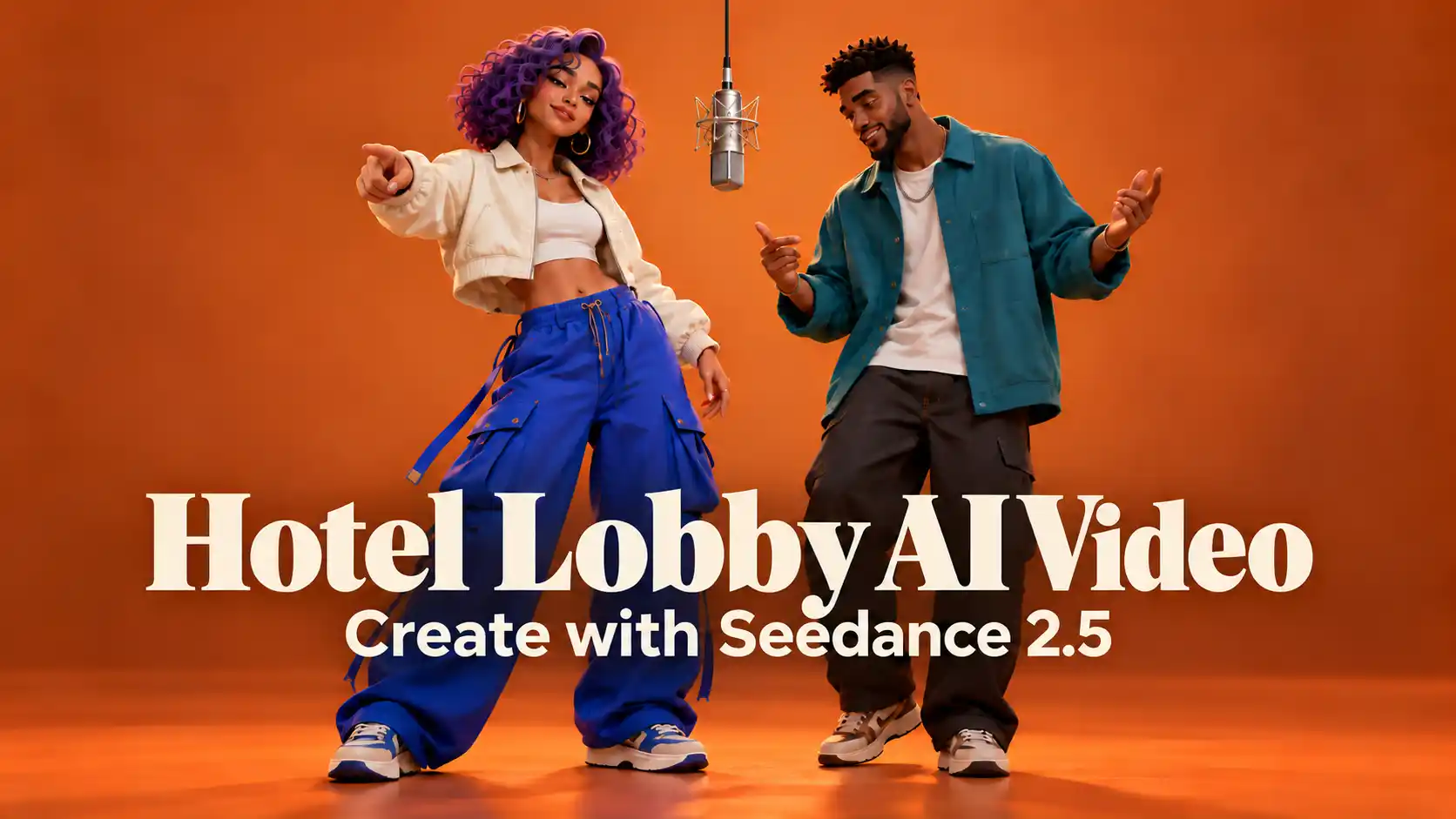
Two performers, one hanging microphone, and an orange studio. The Hotel Lobby AI trend turns a recognizable performance into a creative playground for unexpected duos.
To make your own version, start with a clear pairing, give each reference a specific role, and build a performance that feels natural with Seedance 2.5.
This guide explains the workflow and explores more ideas.
TL;DR: Hotel Lobby AI Video Creation
Use character images to define appearance and a video reference to guide movement.
Assign each performer a clear position before generating.
Review identities, gestures, and audio timing across the whole clip.
For a fresh variation, design a memorable interaction, not just a different cast.
What Is the Hotel Lobby AI Video Trend?
A recognizable performance becomes a stage for new pairings.
The trend draws on Quavo and Takeoff “Hotel Lobby” performance on A COLORS SHOW. AI remixes replace the performers with different subjects while retaining recognizable elements of the staging and performance. The name refers to the song, not a hotel interior.
Its appeal comes from the pairing. Viewers recognize the setup, then discover who is sharing the microphone.
For creators, there are two different goals:
Follow a specific performance: use a video reference to guide gestures, timing, and framing.
Create a similar atmosphere: design a new duet with your own movements, setting, and sound.
Choose your goal first. An orange backdrop alone will not recreate a particular performance.
Prepare Your Cast and Performance References
Separate who appears from how they move.
Before opening the generator, prepare a small, organized set of materials.
Character references: Choose one clear image for each subject. Keep distinguishing features visible, including clothing, hairstyle, fur markings, or character proportions. Add another consistent angle when a turn would reveal details missing from the main image.
Motion reference: Choose a short clip with readable gestures and clear separation between performers. Avoid starting with frequent cuts, overlapping bodies, or hands covering faces throughout the shot.
Creative direction: Decide who stands on each side, who leads the interaction, and what the other performer does in response.
How to Make a Hotel Lobby AI Video with Seedance 2.5
Build one clear performance before adding complexity.
Step 1: Add Your Character and Motion References
Open the Seedance 2.5 generator and select Multi-Reference.
Upload your supported character images and the movement reference. Use the reference selector to insert the actual uploaded files into your prompt.
For this workflow, the images identify the two performers. They are not first and last frames.
Step 2: Assign Each Performer a Clear Role
Specify the left and right positions from the viewer’s perspective.
Give each character a separate description, then explain how the movement reference applies.
For example, the left character follows the left performer’s gestures, while the right character follows the right performer’s responses.
Step 3: Write a Focused Hotel Lobby AI Video Prompt
Use this starting structure, replacing the bracketed references with the files selected in the interface:
Create one continuous two-character performance in a warm orange studio with a single microphone suspended between the performers.
Use [Character A reference] for the performer on the viewer’s left and [Character B reference] for the performer on the viewer’s right. Preserve each character’s distinct appearance, proportions, and clothing.
Use [Motion reference] to guide the corresponding performers’ gestures, head movements, interaction, and pacing. Do not copy its original faces or outfits.
Keep the camera steady and both performers clearly visible. Maintain separate identities and positions throughout the shot. Use natural movement, restrained expressions, and consistent studio lighting.
Adjust the visual style for your subjects. A stylized animated duo needs different rendering instructions from realistic animals.
Step 4: Generate and Review the Performance
Choose the duration, resolution, and aspect ratio offered in the generator. Check the displayed credit cost before submitting.
Watch the result at normal speed, then inspect moments when a performer turns, raises a hand, or approaches the microphone. Check that both characters remain recognizable and that the second performer stays engaged.
Step 5: Finish the Sound and Export
Listen to the generated result before deciding what audio work remains.
For a new song, reconsider the gestures and pauses instead of simply placing it over an unrelated performance.
Review the final crop on a phone. Keep both subjects readable, and leave space around important gestures. Use music suitable for your publishing context and identify realistic AI remixes clearly.
Create Your Duo with Seedance 2.5
Five Creative Directions for Your Hotel Lobby AI Video
Make the interaction as memorable as the pairing.
1. Pair Two Cats with Different Personalities
Two different cat breeds give a Hotel Lobby AI pet video an immediate visual contrast. Differences in face shape, coat length, and body size help viewers distinguish the performers.
Focus on these details:
Keep each cat’s markings, muzzle, and proportions consistent.
Give one cat a clear gesture while the other reacts.
Preserve believable paw structure and contact with the floor.
Watch tails and fur where the bodies overlap.
Decide early how anthropomorphic the performance should be. Upright performing cats can suit the joke, but their bodies should remain coherent rather than changing between feline and human anatomy.
2. Keep a Cartoon Duo in One Consistent Art Style
A 3D cartoon character pairing benefits from a shared animation language. Consistent fur rendering, lighting, shading, and proportions make the characters feel as though they belong in the same shot.
Keep the performance readable:
Preserve the characters’ recognizable silhouettes and relative scale.
Adapt gestures to their body shapes.
Use facial reactions and pauses between larger movements.
Keep both characters in the same 3D rendering style.
The movement can be expressive without becoming constant. A clear pose followed by a reaction often reads better than two characters gesturing continuously.
3. Use Familiar Personalities for a Playful Contrast
Similar ideas can feature favorite celebrities or personalities associated with a shared joke.
Prioritize believable behavior:
Keep facial proportions stable during turns.
Avoid oversized smiles and exaggerated mouth movements.
Give each performer a distinct posture and rhythm.
Make the joke understandable through the interaction.
Treat this as a creative reference category, not confirmation that celebrity uploads are supported by the site. Follow the current input restrictions and present any realistic fictional performance as an AI remix, not a real appearance or endorsement.
4. Preserve the Identity of Live-Action Film Characters
Costume shapes, helmets, posture, and physical presence help audiences identify the characters immediately.
The challenge is maintaining that identity while giving the scene a playful, natural performance.
Keep the cinematic qualities intact:
Preserve costume construction, materials, and recognizable details.
Match movement to the character’s clothing or armor.
Maintain realistic lighting and body weight.
Use gestures and timing when a helmet conceals facial expression.
Avoid making every character perform the same loose, exaggerated dance. Their different ways of moving can become the most entertaining part of the pairing.
Recognizable film characters also do not automatically make actor-face references supported. Keep the generation workflow within the tool’s current requirements.
5. Create a New Performance People Can Imagine Trying
The strongest extension of this idea goes beyond changing the song or replacing the cast.
Start with a relaxed social moment: friends sharing a rooftop microphone, a casual studio session, or one performer drawing a companion into a simple routine.
Choose music with a clear pulse, an engaging phrase, or a short section that supports a repeatable gesture. Contemporary energy matters more than making the choreography complicated.
Build the idea around four decisions:
A clear lead: one person captures attention immediately.
A simple signature move: a shoulder turn, small step, or hand gesture viewers can understand quickly.
A natural response: the other people react rather than duplicating every action.
A satisfying ending: a glance, pause, or return to the opening position gives the clip a clear finish.
Keep the setting visually simple enough that the movement remains the focus.
Leave moments of stillness so the performance feels spontaneous rather than mechanically choreographed.
These choices can make a clip easier to recognize, share, and imitate.
Common Problems and How to Fix
Correct the specific problem before generating again.
Faces or character features change.
Check whether the references show conflicting appearances. Replace inconsistent views and make each subject’s defining features clearer.
The performers exchange roles.
Reinforce the left/right assignments and simplify crossing movements. Start with a stable composition before adding complicated interactions.
Hands or costumes become distorted.
Reduce overlapping gestures or choose a shorter, clearer action. Inspect the troublesome moment rather than judging only the opening frame.
The performance feels stiff.
Allow smaller movements, relaxed shoulders, and pauses. Avoid asking every body part to move at once.
The music and action do not fit.
Check the audio section and timing first. If the underlying movement has the wrong rhythm, adjust or regenerate the performance rather than repeatedly shifting the soundtrack.
Create Your Own On-Screen Duo
A strong pairing gives the performance its personality.
Start with two distinct characters and one clear interaction.
Once their appearance and movement work together, explore a different setting, a fresh musical direction, or a simple signature gesture that makes the video yours.
Make Your Own AI Performance Video
Hotel Lobby AI Video FAQs
Can I make a Hotel Lobby AI video without a reference clip?
You can create a similar two-character studio performance using supported images and a written description. Without a movement reference, expect newly generated actions rather than a close recreation of a specific sequence.
Can I use one image containing both characters?
A clear combined image can establish their relationship and placement, but separate references can make individual features easier to identify. Avoid crowded compositions and explain which subject occupies each role.
Is this the same as an AI face swap?
Not necessarily. Reference-based generation can rebuild the characters, clothing, environment, and movement together. A face-swap workflow typically concentrates on replacing facial appearance within existing footage.
Do I need the original Hotel Lobby song?
No. You can create an original duet with different music. Plan the actions around the new rhythm so the result feels intentional rather than like an unrelated clip with replacement audio.
Related Articles
5 AI Halloween Video Ideas to Try with Seedance 2.5
Explore five AI Halloween video ideas with Seedance 2.5, from funny greetings and costume transitions to witch projections and living portraits.
Seedance App: Create, Edit and Extend Videos on Your Phone
Create AI videos with the Seedance app for iPhone and Android. Explore Seedance 2.5, animate photos, guide transitions, and edit or extend your clips.